
0%

Choosing a wall-mounted adapter can seem simple, until a device stops working or runs warm. Wall Mount Power Supplies vary in output voltage, current capacity, connector size, polarity, and build quality. A plug that fits is not proof of compatibility. Check the device label and manual before comparing products.

This guide introduces ten practical checks for selecting a dependable supply. It covers matching voltage, allowing adequate current, confirming connector dimensions, and reviewing polarity diagrams. It also considers input range, cable reach, enclosure temperature, protection features, and manufacturer documentation. These details matter in everyday settings: a router tucked behind a desk, a camera mounted near the ceiling, or a small appliance beside a crowded outlet. Measure the space, too. A bulky adapter may block a neighboring socket. Small details matter.

Reliable selection depends on evidence, not attractive packaging. Look for clear specifications, accessible manufacturer support, and relevant safety markings for your region. Read product documents carefully; listings sometimes omit connector measurements or operating limits. A higher current rating is not usually a problem by itself, but voltage and polarity must match. That distinction is easy to miss. Even experienced buyers can overlook a small label, so compare the old adapter’s details when possible. If specifications conflict, pause and verify them with the device maker or a qualified supplier. These ten tips can reduce guesswork, though they cannot replace the equipment’s own requirements.
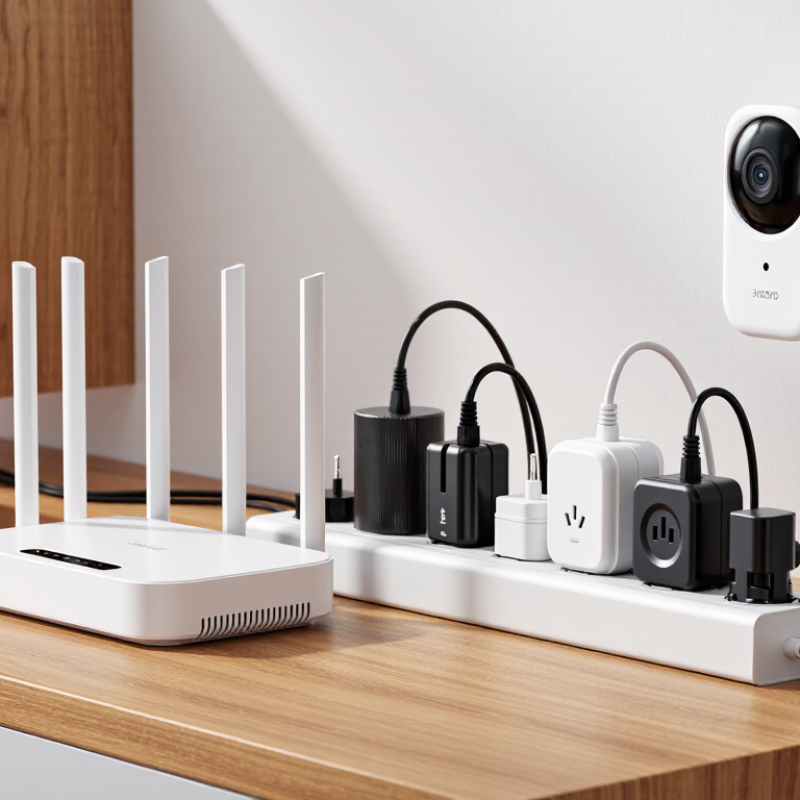
10 Tips for Choosing Wall Mount Power Supplies

Understanding Wall Mount Power Supplies and Their Common Uses

A wall-mount power supply plugs directly into an outlet and converts mains power into a device’s required output. You’ll find them powering home routers, security cameras, small displays, and control panels. Their compact shape saves desk space, but the adapter can block a neighboring socket. Small, but consequential. Match the output voltage, current capacity, connector size, and polarity to the device label. A connector that almost fits is still the wrong connector.

The U.S. Department of Energy’s external power-supply test procedure measures active-mode efficiency at four load levels: 25%, 50%, 75%, and 100% of rated output. It also measures power use with no load. These checks matter because an adapter may behave differently when a device is idle or working hard. One easy-to-miss detail: a higher current rating can be acceptable when voltage and connector requirements match, but a mismatched voltage can damage equipment. I’d also check the adapter’s temperature and clearance after installation; a warm casing is not automatically a fault, but heat in a cramped corner deserves attention. Labels help, though they don’t answer every real-world question.

Matching Voltage, Current, and Connector Requirements

Tip 1: Match the supply’s output voltage to the device label. A 12-volt device needs a regulated 12-volt supply, not a nearby value. Tip 2: Check polarity before connecting. The label may show a center-positive or center-negative symbol. I still double-check it; a plug can fit while polarity is wrong.

Tip 3: Choose a current rating equal to or higher than the device’s stated requirement. A supply rated for 3 amps can generally serve a 2-amp load, while a 1-amp supply may struggle. Look for startup or peak-current needs, especially with devices that contain motors. Leave sensible headroom. Too much choice can be confusing, so follow the device documentation.

Tip 4: Verify the connector’s diameter, length, and barrel style, not just its appearance. A loose plug may cut power when the cable moves. Tip 5: Confirm the pin layout for multi-pin connectors. Compare the supply label with the device manual, and measure the old plug if details are missing. Small differences matter. Before regular use, check that the connection feels secure and the device operates normally. If voltage, polarity, or connector details remain uncertain, pause and ask a qualified technician rather than guessing.

Checking Input Compatibility and Electrical Safety Certifications

Before choosing a wall mount power supply, check the device’s required input voltage and current. These details are usually printed near its power jack or listed in the manual. The supply’s output voltage must match exactly; its current rating should meet or exceed the device’s requirement. Also verify AC input range, frequency, connector size, and polarity. A plug that fits can still be wrong.

Check the label on the supply itself. Look for recognized electrical safety certification marks applicable where you plan to use it, and confirm the exact model appears in the certifier’s records when possible. A logo alone is not proof. Read the fine print. Certifications apply to specific products and conditions, not every item from a manufacturer. For equipment used in a damp or dusty area, check its enclosure rating and placement instructions too.

In practice, compare the labels side by side before connecting anything. A mismatched voltage or reversed polarity can damage equipment; guessing from a similar-looking adapter is a poor shortcut. I once overlooked the AC input range while checking the plug, and had to rethink the whole selection. That detail is easy to miss. If markings are unreadable or requirements conflict, ask a qualified technician rather than testing the supply.

Assessing Mounting Options, Size, and Installation Conditions

A wall-mount power supply should fit the equipment and the place where it will operate. Check the mounting method before comparing dimensions. Some units use a flat backplate; others need clearance for screws, cables, or airflow. Tip: Measure the wall space, including cable bends. A tight fit can make routine servicing awkward.

Tip: Check the installation surface. A solid panel or stud can support mounting screws more reliably than thin drywall alone. Confirm the unit’s weight and use suitable fasteners for the surface. Measure around nearby pipes, shelves, and doors, too. Small obstacles matter. Leave room to reach terminals and remove the cover, if the design allows access. Follow the manufacturer’s installation instructions, and ask a qualified installer when the mounting surface or wiring is uncertain.

Size is not just about the outer case. Note the power supply’s ventilation clearances, operating temperature range, and cable-entry direction. A compact unit may seem convenient, but it can trap heat in a closed cabinet. Tip: Check the real installation conditions. Look for dust, moisture, vibration, and nearby heat sources. Then compare those conditions with the unit’s specifications. I have seen measurements overlooked when plans change on site; recheck before drilling. A few millimeters can matter.

10 Tips for Choosing Wall Mount Power Supplies - Assessing Mounting Options, Size, and Installation Conditions
# What to Assess Practical Data or Check Why It Matters Installation Tip
1 Mounting style Common formats include plug-in adapters, wall-mounted enclosures with screw slots, and units mounted to a panel or rail. The mounting format determines how securely the supply is supported and how easily it can be serviced. Confirm that the selected format matches the installation surface and the required access to the power supply.
2 Hole spacing and mounting pattern Check the manufacturer’s dimension drawing for hole centers, slot dimensions, and required screw sizes; these vary by model. A suitable enclosure may still be difficult to install if its mounting pattern does not match the available space. Measure the mounting surface and compare it with the dimension drawing before drilling.
3 Overall size and cable clearance Allow room for the enclosure, connectors, cable bend radius, and access to terminals or adjustment points. The listed body dimensions do not always include the space needed for cables or installation tools. Check the complete installation envelope, including cable entry and any required cover removal.
4 Weight and wall strength Compare the unit’s mass with the load capacity of the wall, bracket, fasteners, and mounting surface. Weak or unsuitable surfaces can loosen over time, particularly where vibration or cable pull is present. Use fasteners suited to the substrate, and support the unit on a solid surface rather than unsupported wallboard alone.
5 Ventilation and clearance Power supplies dissipate heat. Required side, top, or bottom clearance depends on the model and its cooling method. Blocked vents or insufficient airflow can raise operating temperature and reduce reliability or available output power. Follow the specified clearance and orientation in the installation instructions; do not cover ventilation openings.
6 Ambient temperature Compare the site’s expected minimum and maximum temperatures with the unit’s rated operating range. Some supplies must be derated at higher temperatures, meaning their usable output capacity can decrease. Check the temperature derating curve and account for heat from nearby equipment or enclosed spaces.
7 Moisture and dust exposure Match the enclosure’s stated IP rating to the actual environment. For example, IP20 provides no water protection, while higher ratings provide defined levels of dust and water protection. A supply intended for a dry indoor location may not be suitable for washdown, rain, or dusty areas. Verify the complete assembly’s protection rating, including cable entries and covers; do not infer suitability from appearance.
8 Input supply compatibility Check the rated AC input voltage and frequency against the local supply, as well as any required protective earthing. Input compatibility is essential for safe operation; not every supply accepts the same input range. Read the product label and wiring diagram before connection, and have mains wiring completed by a qualified person.
9 Output voltage and load capacity Confirm that the output voltage matches the equipment and that the continuous current rating meets its demand, including startup needs. Incorrect voltage or insufficient capacity can cause malfunction, overheating, or unexpected shutdown. Allow appropriate capacity headroom where practical, and verify any derating or peak-load limits in the specifications.
10 Orientation, access, and serviceability Some models specify a mounting orientation or require access to terminals, indicators, fuses, or adjustment points. Incorrect orientation may affect cooling, while poor access can make inspection and replacement more difficult. Install in an approved orientation and leave safe working access; isolate the input supply before servicing.

Comparing Efficiency, Protection Features, and Long-Term Reliability

Choosing a wall-mount power supply starts with the device’s voltage, current, and connector—not the lowest price. Check efficiency at the load you actually use; a high peak rating may hide weaker performance during ordinary operation. A compact casing can run warm behind a cabinet. Leave space for airflow, and compare temperature data rather than trusting an efficiency label alone. Look for over-current, over-voltage, short-circuit, and over-temperature protection. These features reduce risk, but they cannot fix poor placement. No spec sheet tells the whole story.

For long-term reliability, compare rated life, operating-temperature range, and the build around cable entry points. Ask how the output behaves after hours of continuous use, not just during a quick test. Check that the plug fits firmly and the cable can reach without sharp bends. Leave some current margin for normal demand, while remembering that an oversized supply may waste energy at light loads. Standby draw is easy to dismiss; I would still check it if the adapter stays plugged in all year. A few details are easy to overlook.

10 Tips for Choosing Wall Mount Power Supplies

Comparing efficiency, protection features, and long-term reliability

How to use this chart: The scores are an illustrative 1–5 review-priority guide, not measured product ratings or a standardized test. Check each supply’s datasheet and applicable safety certifications, and confirm that its voltage, current, connector, and operating conditions suit your device.

FAQS

What does a wall-mount power supply do?

It plugs into an outlet and converts mains power into the output a device needs. Routers, cameras, and small displays often use one.

How should I match voltage and current?

Match the supply’s voltage to the device label exactly. Choose a current rating equal to or higher than the device’s requirement.

Can a connector fit but still be wrong?

Yes. Check polarity, diameter, length, and barrel style. A plug that almost fits can still cause problems. Small details matter.

Is a higher current rating always a problem?

Not usually. A higher rating can work when voltage, polarity, and connector requirements match. Check the device instructions, too.

What should I check before mounting the supply?

Measure the wall space, including room for cable bends. Check the surface, nearby shelves, pipes, and doors. Measure twice.

Can a compact supply overheat in a cabinet?

It can trap heat if airflow is limited. Check ventilation clearances and the operating temperature range. A warm case alone does not prove a fault.

Could the adapter block a neighboring outlet?

Yes. Its compact shape saves desk space, but the body may cover a nearby socket. I still forget to check this.

How is power-supply efficiency tested?

Testing can measure active-mode efficiency at 25%, 50%, 75%, and 100% load. It can also measure power use with no load.

Conclusion

Choosing the right Wall Mount Power Supplies starts with understanding how the adapter will be used and what equipment it must support. Confirm that its output voltage matches the device and that its current rating meets or exceeds the device’s requirements. Check the connector type, size, and polarity as well, since a mismatch can prevent proper operation or cause damage. The input range should suit the available power source, and applicable electrical safety certifications should be clearly identified.

Next, consider the outlet orientation, adapter dimensions, and surrounding space to ensure a secure fit without blocking neighboring sockets. Compare energy efficiency and useful protection features, such as safeguards against overcurrent, overheating, or short circuits. Reliable construction and suitability for the expected operating conditions can also help reduce replacement needs. By reviewing these factors together, you can select a power supply that fits the installation, supports consistent performance, and meets the device’s requirements.

Ethan

Ethan

Ethan is a professional marketing specialist with a strong understanding of business strategy, customer needs, and digital communication. As a key contributor to the company’s marketing team, he combines industry knowledge with practical experience to create clear, useful, and engaging content for......